Marshmello Helmet Avatar Standing Tall in Roblox
Coloring guide
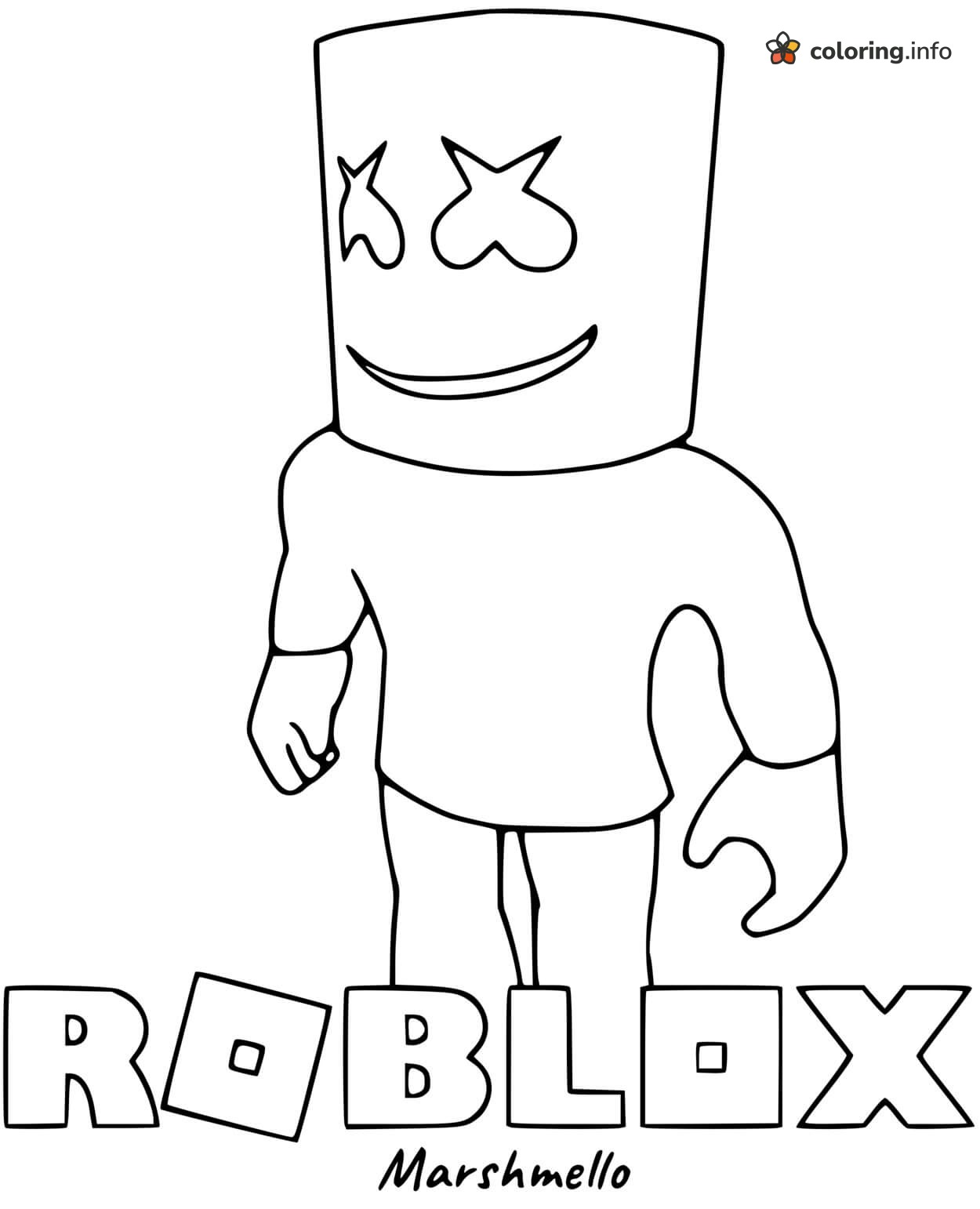
On top of this Roblox-style Marshmello figure sits a tall, blocky helmet with a wide curved smile and two X-shaped eyes. He stands at ease with his arms hanging at his sides. His long-sleeved shirt is plain and simply outlined, which leaves lots of open space to color. The classic blocky hands and straight legs are easy to follow. Big ROBLOX letters run across the bottom, and the name Marshmello is written below them. No background is drawn, so young artists can leave it clean or add their own scenery. Large shapes and bold lines suit beginners as well as older kids. A bright sky blue shirt with a white helmet looks good, plus a splash of color on the X eyes. Print this free page for a classroom project or a weekend craft.
A gentle color plan to get started — mix in your own anytime.
- sky blue
- coral red
- peach skin
- charcoal black
A suggested order, zone by zone — skip around as you like.
- 1Color the shirt and both sleeves sky blue, leaving the big helmet head white.
- 2Fill both hands with peach skin tone, from the wrists down to the fingers.
- 3Color all the ROBLOX letters coral red, but leave the square and tilted holes in the O letters white.
- 4Fill the eyes and the smile with charcoal black, and leave the small shine spot on the left eye white.
- 5Keep the legs white so they blend with the background.
- 6Optional: add light diagonal strokes over the blue shirt to give it a textured, hand-drawn look.
More Roblox Coloring Pages

Sword Leap Against a Skeleton Across Pixel Steps

Winged Roblox Avatar in Fedora and Dark Sunglasses

Roblox Avatar Looking Up at Leaning City Buildings

Spotted Elephant Character with Huge Floppy Ears

Hook-Handed Pirate with Eye Patch Over a City Skyline

Giant ROBLOX Logo in Hollow Block Letters

Spooky Roblox Ring-Headed Monster with Toothy Mouth and Long Claws

Top-Hatted Bear Avatar with Brick Blaster from Roblox