
Online coloring pages
No printer, no crayons, no problem. Every page on coloring.info can be colored right on your screen: tap an area to fill it with the paint bucket, or color freely with the brush. Free, no sign-up, on computer, tablet and phone.

Pick a picture to color online
Popular pages with clean, closed outlines that fill nicely with the paint bucket. Click one and the editor opens right away.


Online coloring for adults
Mandalas and detailed designs to color on screen when you want something slower. Zoom in on the small shapes and finish with the fine brush.


Color by number online
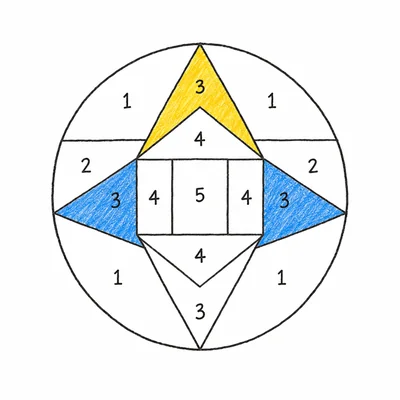
Each area shows a number. Match it to the color key, fill the area with the paint bucket, and watch the picture appear.


More themes to color
 Hockey
 Alphabet
 Color by Number (Adult)
 Christmas for Kids
 Chinese New Year
 For Teens
 Spring
 Raccoon
 Christmas Mandala
 Mandala
 Color by Number
How to color online
- Step 1
Pick a picture
Open any coloring page on the site, or one of the pictures below, and press “Color online”.
- Step 2
Color it in
The paint bucket fills a whole area in one tap. Brush and eraser come in three sizes, with 24 colors and zoom up to 400%.
- Step 3
Save your art
Download the finished picture as a PNG, or print the blank page to keep going with real pencils.
On screen or on paper?
Coloring online is handy on the go, in a waiting room or when the printer is out of ink, and mistakes cost nothing: one tap on Undo and they are gone. Kids who are still learning to stay inside the lines get a clean result with the paint bucket, while the brush leaves room for shading and patterns.
Paper still has its charm, and every picture here is also a free printable coloring page. Color it online first to try out a palette, then print the blank page and do it again with pencils or markers.
Frequently asked questions
›Is online coloring free?
Yes, completely. There is no account to create and nothing to install: open any coloring page, press “Color online” and start coloring.
›Can I color online on an iPad or a phone?
Yes. On tablets and phones the editor opens full screen. Tap an area with the paint bucket to fill it, or switch to the brush and color with your finger or a stylus. Pinch to zoom in on small details.
›How do I save my colored picture?
Press “Save” and your finished picture downloads as a PNG image. You can keep it, share it, or print it in color.
›The color went over the lines. How do I fix it?
Press “Undo” (or Ctrl+Z) to step back — up to 30 times. The eraser removes brush strokes and filled areas alike, and the small brush size is handy for tight corners.
›Are there online coloring pages for adults?
Yes. Mandalas and detailed designs work well on screen: zoom in up to 400% to reach the tiny areas, then finish with the small brush.
›Can I play color by number online?
Yes. Open a color by number page, read the number in each area, find its color in the key, and fill the area with the paint bucket. The picture appears as you go.
›Is my drawing saved on your site?
No. Everything happens in your browser: your coloring is never uploaded. Save it before closing the editor, or it will be lost.