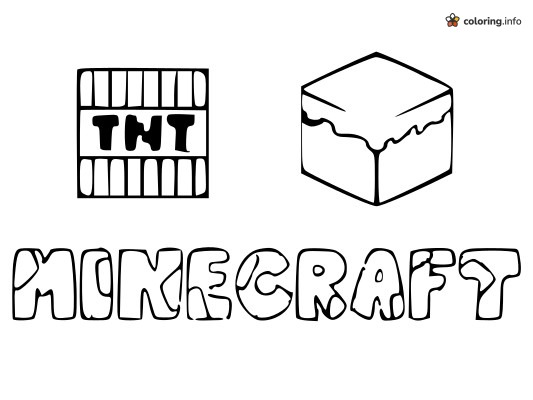
Minecraft Bubble Letters with TNT and Grass Block
Coloring guide
At the top sit two blocky items side by side: a square TNT block on the left, and on the right a 3D cube with a wavy, dripping layer along its top edge, a bit like a grass or snow-topped block. Underneath, the word MINECRAFT is spelled out in big, chunky bubble letters with lots of space to fill. The TNT block's bold black lettering is already filled in, with vertical stripes above and below, so kids can concentrate on the stripes and the background. Bright red for the TNT stripes and green for the cube's top layer is a good start, then give each bubble letter a different color. It's an easy print for younger fans or a quick class activity. Fans of Minecraft coloring pages often like Plants vs. Zombies and Among Us as well.
A gentle color plan to get started — mix in your own anytime.
- grass green
- dirt brown
- tomato red
- light gray
A suggested order, zone by zone — skip around as you like.
- 1Color the top of the grass block and the letters M, I, N, C and F in grass green.
- 2Fill the front and right sides of the block with dirt brown, and color the letters R and T in the same brown.
- 3Color the striped TNT sticks in tomato red, top and bottom rows, leaving the middle label white.
- 4Color the letters E and A in light gray so they stand out from the green letters.
- 5Keep the TNT label and the small white shine spots bright white so the text and highlights pop.
- 6Optional: add a few light darker green and brown strokes for a hand-drawn, textured look.
More Minecraft Coloring Pages

Running Minecraft Steve Swinging a Pickaxe Overhead

Pikachu and Trainer in Minecraft Style With Pokémon Logo

Ender Dragon Soaring in Minecraft With Wide Wings

Arms-Crossed Minecraft Villager

Little Chibi Creeper for Minecraft Fans

Three Minecraft Zombies Standing Together With a Baby

Surprised Ghast Floating in Minecraft

Standing Minecraft Creeper Seen at an Angle